

The Revival Harmony app
Your sound practice, wherever you are.
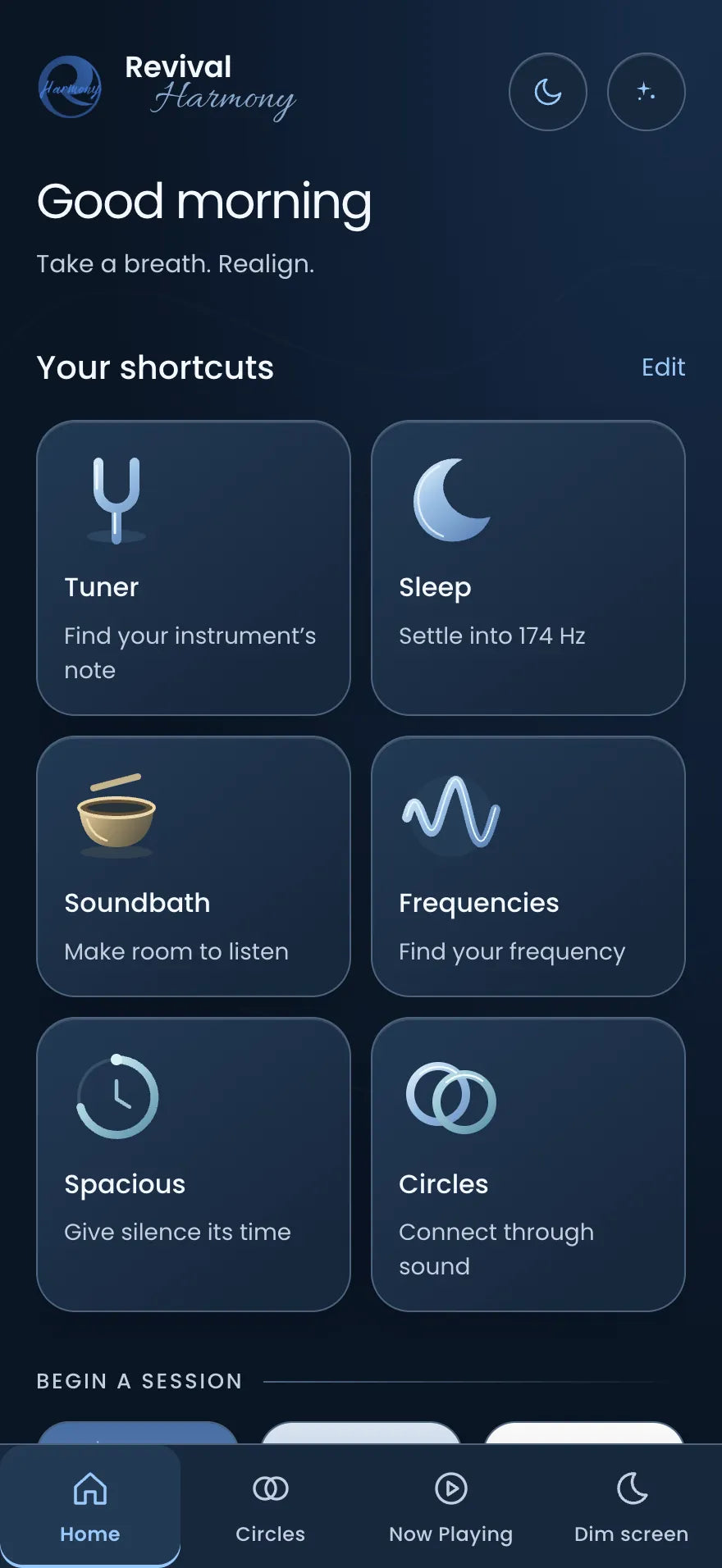
Explore the notes in your instruments, make room for silence and settle into a listening mix of your own. Revival Harmony brings personal practice, practitioner tools and private Circles together in one app.
Android coming soon
Inside the app
Three ways to use it
Notes Together
Start with the instruments you already have.
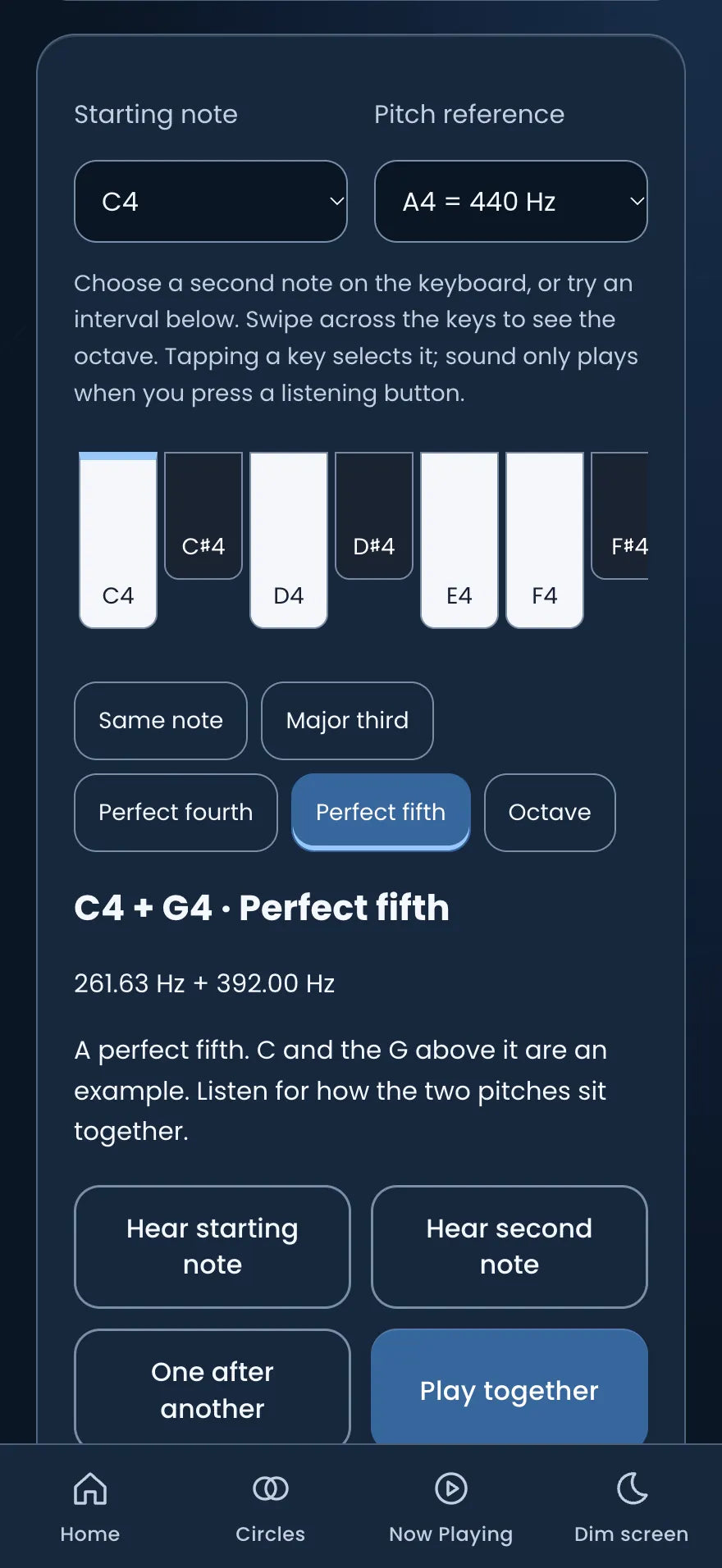
Add your bowls or other pitched instruments by note or frequency, or use the tuner to help find a note. Notes Together suggests combinations to explore and lets you hear up to six notes together before you try them on your own instruments.
- Save your instrument collection
- Explore suggested combinations
- Keep useful sets for another session
Previews play the pitches so you can hear how they sit together. Your own instruments have their own tone and overtones.
Spacious
Give silence its time.
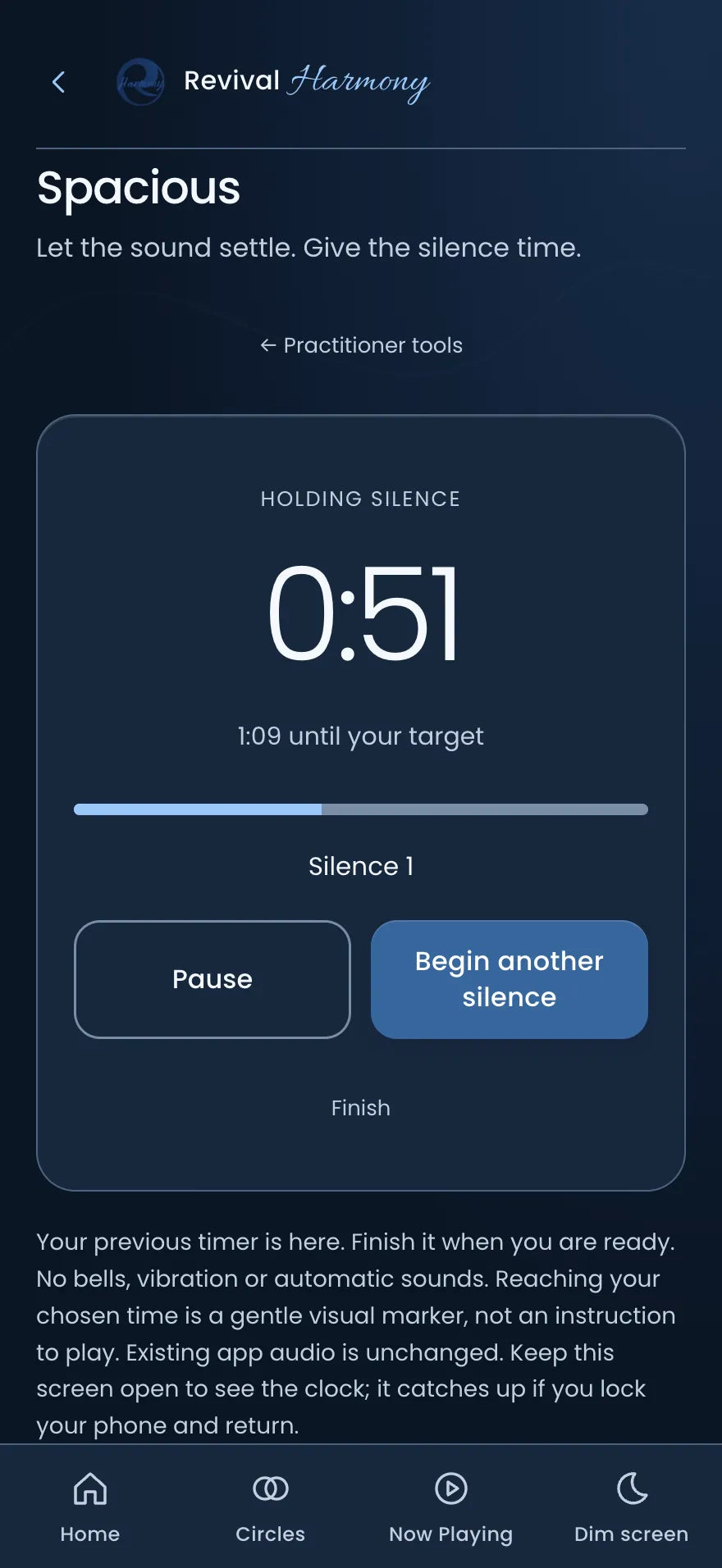
After the last note fades, it is hard to judge how long the room has been quiet. Spacious gives you a clear timer for those pauses, so you can leave room to listen before the next sound.
- A clear count for every silence
- No bells or vibration, just a quiet marker when you reach your time
- Begin the next silence with one tap
Tuner
See the note and frequency as you play an instrument.
Practitioner session
Keep elapsed time, the note you are playing and an estimated sound level in view while you practise.
Level
An estimate of the sound level at your phone. Phone readings are estimates, not calibrated measurements.
Learn and reflect
Lessons drawn from Éanna's teaching, and a private Journal for your notes.
Personal practice
Make room for your own practice.
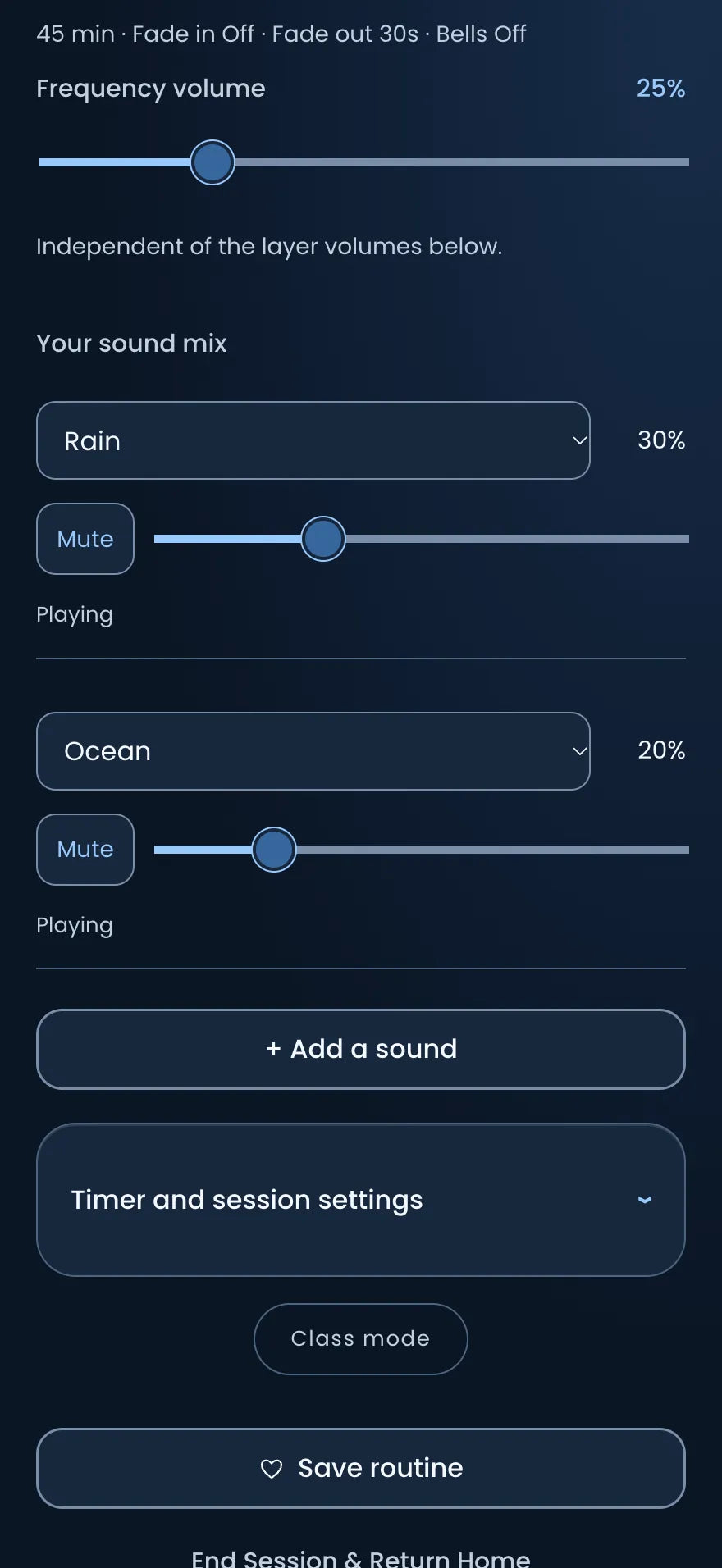
Choose a frequency and blend background sounds to suit the moment. Follow a breathing pattern, take five minutes with Attune, or record words you want to come back to, in your own voice.
Your sound, your balance
Set the frequency and each background layer at its own level, then save it as a routine.
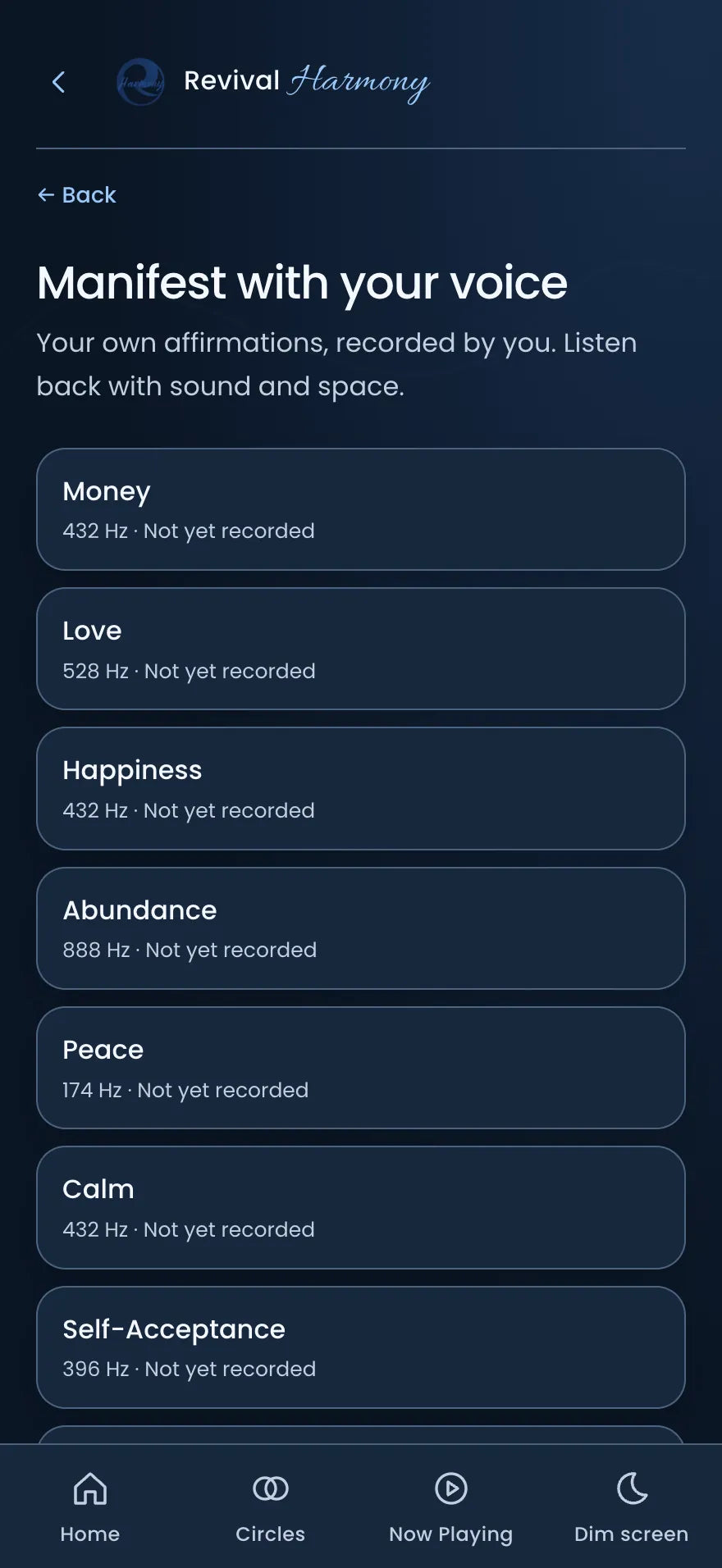
Your words, your voice
Record affirmations and reflections in your own voice. Future Self and Best Self prompts help you begin.
A moment to notice
Write in your Journal, and check in before and after Attune.
Also inside: binaural beats for stereo headphones, sleep mode, lock screen controls and home shortcuts you choose.
Circles
Let the practice continue between sessions.
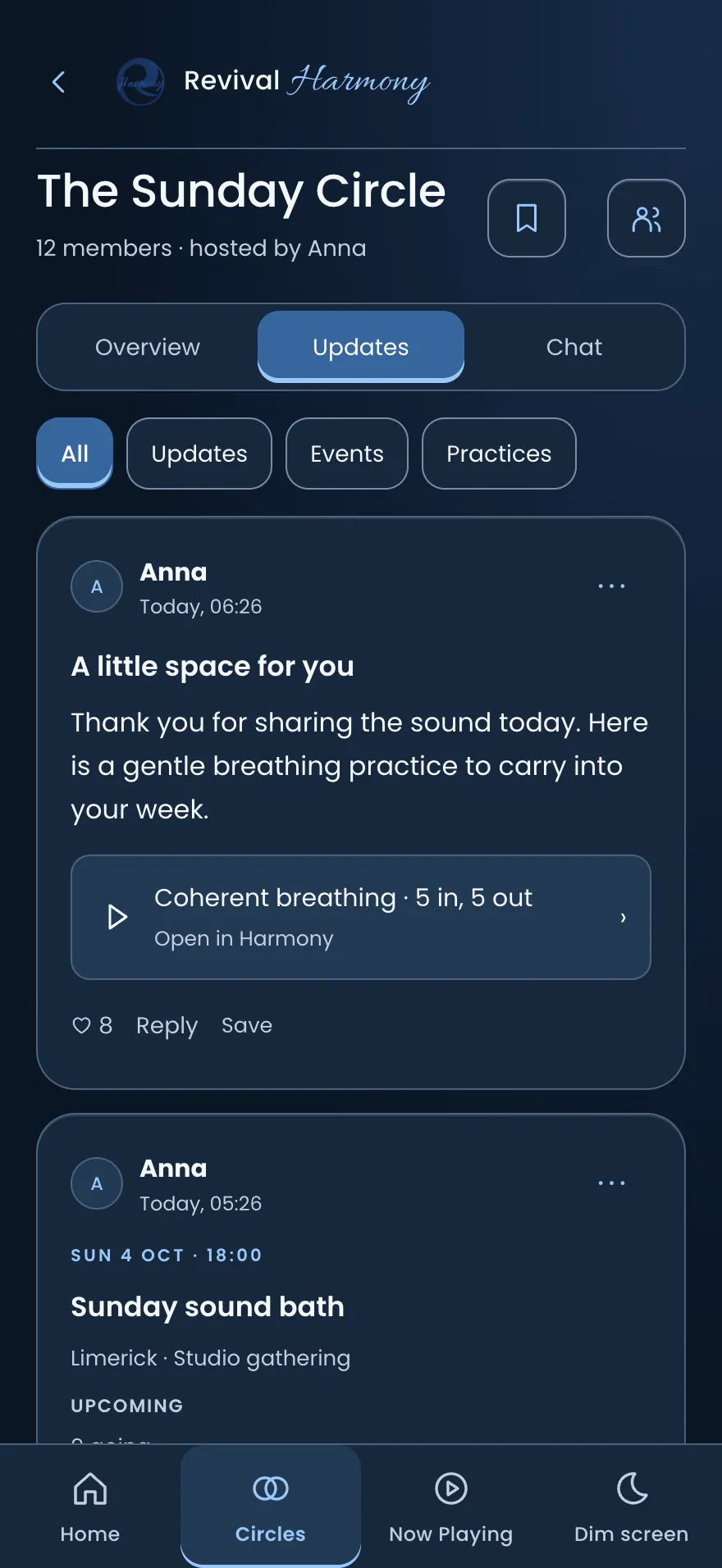
Circles gives practitioners and the people they work with a private space to stay connected. Start a circle for your own group, or join one with an invitation link or code. Share a message or an image, and find events, useful links and shared practices in one place.
- Your host sends you an invitation.
- Open the app, sign in or create your Circles account, then join.
- Stay in touch with your circle between sessions.
- Messages and replies
- Images, links and shared files
- Circle events and practices
Running a group of your own? Start a circle in the app and invite your people. Every circle is private: members join by invitation only.
Good to know
Questions before you download
Do I need an account?
No. Personal listening and the practitioner tools work without one. Circles needs an account so you can take part in your private group.
Is it for practitioners or for everyday listening?
Both. Start with frequencies and background sounds, or open the practitioner tools when you want help with instruments and sessions.
Does it work on iPhone and Android?
Right now it is on the App Store for iPhone. An Android version is being prepared, and this page will link to it once it is on Google Play.
Can I hear my own bowls in Notes Together?
Not recordings of them. The previews play the pitches so you can hear how notes sit together. Your own instruments have their own tone and overtones, so try a combination on them too.
How do I join a Circle?
Ask your host for an invitation link or code. Invitations can expire, so ask for a new one if yours has.
Can I start my own circle?
Yes. Once you have a Circles account, you can start a circle for your own group and invite people to it. Members join by invitation, so your circle stays private. You can host up to 10 circles.
Where is my information stored?
Your Journal, check-ins and voice recordings stay on your phone and are never sent to us. Circles is different: what you share in a circle is stored online so the other members can see it. The app privacy policy has the detail.
What does it cost?
Revival Harmony is free on the App Store, with no adverts and no tracking.
Find your own rhythm.
A little space to listen. Practical tools to explore. A way to stay connected.
Android coming soon